Consolidating Agents in Microsoft 365 Copilot
Bring custom engine agent in Microsoft 365 Copilot Chat

When you have created agents in Copilot Studio you probably know that you can create an agent for Microsoft 365 Copilot (declarative agent) and ones that live inside of Teams (or other channels) but until now, they would not appear in the same user experience.
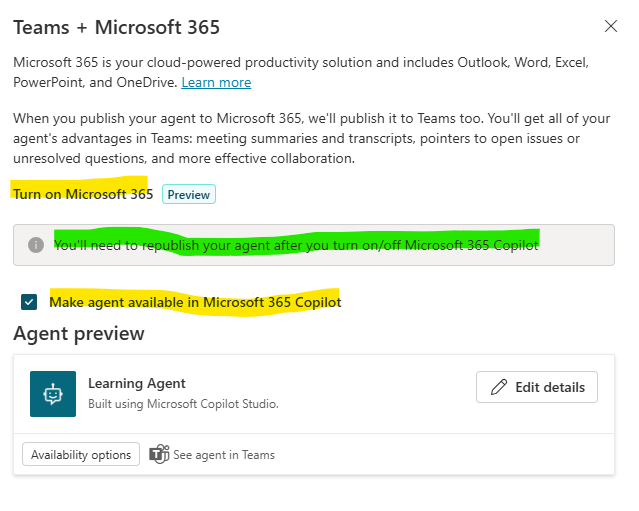
Yes -until now- if you are creating an agent in Copilot Studio, you can now extend the Teams Channel with Microsoft 365 Copilot. Below you see a screenshot of the interface. If you want your agents that you’ve built outside of the Microsoft 365 Copilot stack to appear in the agent list, enable the “make agent available in Microsoft 365 Copilot”. Keep in mind that when you are making this change for an existing agent to republish it.
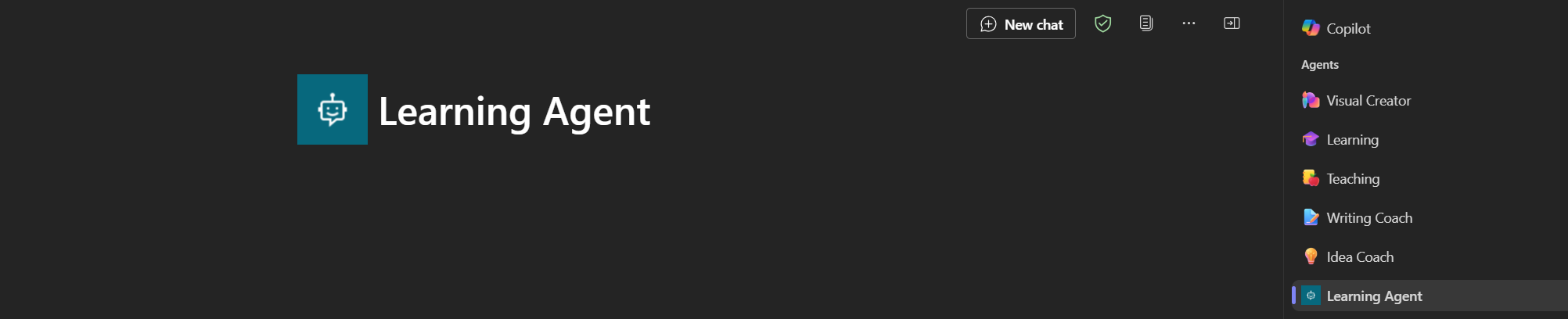
When you have completed this, this could be your agent list and agent experience. Since agents built in Copilot Studio, don’t come with conversation starter, you see the experience here is empty. But at least you have now a single experience for your agents.